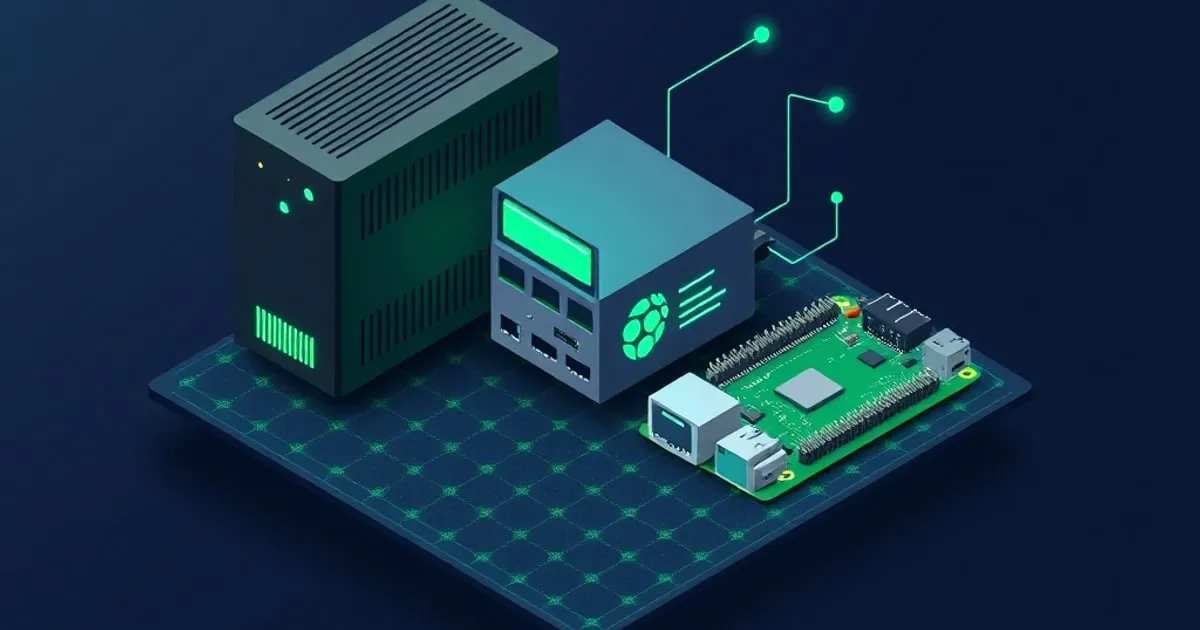
Mini PC vs NAS vs Raspberry Pi for a Homelab
Three ways to start a homelab, compared honestly: a mini PC, a prebuilt NAS, and a Raspberry Pi. Cost, power, what each is genuinely good at, and the trap of buying the wrong one first.
Almost everyone starting a homelab asks the same question: do I buy a mini PC, a NAS, or a Raspberry Pi? They look interchangeable from the outside — small boxes that run services — and they are not. Buying the wrong one first is the most common and most expensive homelab mistake I see, because you usually end up buying a second box anyway.
I’ve run all three for years. Here’s the honest comparison, the cost and power reality, and a decision rule that gets most people to the right answer the first time.
What each one actually is
- Mini PC (Intel N100/N305, Ryzen mini, or a repurposed thin client): a small x86_64 computer. General-purpose compute. Runs any OS, any Docker image, VMs. Storage is whatever you put inside it.
- Prebuilt NAS (Synology, QNAP, Asustor, Ugreen): a storage appliance first, app host second. Multiple drive bays, a polished storage/sharing OS, RAID, and an app ecosystem that’s deliberately fenced.
- Raspberry Pi (Pi 4/Pi 5) or similar SBC: a tiny ARM computer. Cheap entry, low power, huge community — but ARM, limited I/O, and storage that’s an afterthought.
The category names hide the real difference: a mini PC is compute that you add storage to, a NAS is storage that runs some apps, and a Pi is the cheapest possible always-on Linux box with compromises.
The comparison that matters
| Mini PC (N100) | Prebuilt NAS (2-bay) | Raspberry Pi 5 (8GB) | |
|---|---|---|---|
| Entry cost (usable) | $150–$200 | $300–$500 + disks | $80 board, ~$130 usable |
| Architecture | x86_64 | x86_64 or ARM | ARM (aarch64) |
| Warm idle | 7–10W | 12–30W (with disks) | 4–7W |
| Bulk storage | Add NVMe/SATA yourself | Native, multi-bay, RAID | microSD/USB SSD only |
| Runs any Docker image | Yes | Mostly (vendor-fenced) | arm64 images only |
| VMs / Proxmox | Yes | Limited / no | Practically no |
| Best at | General compute, services | Reliable bulk storage | Cheapest single-purpose node |
| Worst at | Many large disks | Flexible compute | I/O-heavy or x86-only work |
Costs are usable-config ballparks in 2026; idle figures are warm idle (full stack, no active load) consistent with how I measure everything else on this site — see measuring mini PC idle wattage.
Where each one genuinely wins
Mini PC wins when your homelab is mostly services: Pi-hole, Home Assistant, a reverse proxy, Vaultwarden, Nextcloud, a dozen Docker containers, maybe a small VM. It’s the most flexible dollar you can spend, runs every x86 container without arm64 hunting, and idles low. For most people starting out, this is the right box — see the $200 N100 build for a concrete starting point and the N100 buying guide for what to look for.
NAS wins when your homelab is mostly data: a lot of media, photos, backups for the whole household, and you want RAID redundancy, easy SMB/NFS shares, and a maintained storage OS without becoming a ZFS expert. A prebuilt NAS is a genuinely good appliance for that, and the app store covers the basics. It’s a poor choice as a general compute box — the app ecosystem is fenced, the CPUs are often weak, and you’ll fight the appliance the moment you want something it didn’t bless. If storage is the center of your plan, TrueNASGuide ↗ covers both prebuilt NAS units and the DIY route.
Raspberry Pi wins when you need the cheapest possible always-on node for one or two light jobs: a Pi-hole, a single sensor bridge, a remote VPN endpoint at a relative’s house, a print server. It’s also the best learning toy. It loses badly the moment you want serious storage (USB-attached SSDs are a reliability and performance compromise), x86-only software, or a stack of heavy containers.
The trap: buying the wrong one first
The classic failure modes, in order of how often I see them:
- Buy a Pi, outgrow it in a month. You add services, hit the RAM ceiling and arm64 friction, and buy an N100 anyway. The Pi becomes a drawer ornament. Net cost: a Pi plus a mini PC.
- Buy a NAS to run apps. You wanted Docker freedom; you got a fenced app store and a weak CPU. You end up adding a mini PC for compute and using the NAS only for storage — which is fine, but it’s two purchases that one plan would have foreseen.
- Buy a mini PC and try to make it a NAS. You bolt USB drives onto an N100 and fight cable-popping and no real RAID. For one or two internal SSDs a mini PC is great; for six spinning disks it isn’t, and a NAS or a DIY ZFS box was the answer.
The meta-lesson: decide whether your homelab is compute-first or storage-first before you buy. They have different right answers.
A decision rule that works
Answer these in order:
- Is your primary goal lots of redundant bulk storage (media library, household backups, RAID)? → NAS (prebuilt for ease, DIY for flexibility). Add a mini PC later for compute if needed.
- Is your primary goal running services/containers/VMs, with storage being one or two SSDs’ worth? → Mini PC (N100 for most, N305 if you want VMs and headroom — see the chip comparison).
- Do you just need one tiny always-on job done as cheaply as possible, or want to learn on a $80 board? → Raspberry Pi, eyes open about its ceiling.
- Both heavy storage and heavy compute? → A mini PC plus a NAS, bought deliberately as a pair, not stumbled into. This is a perfectly good end state — just plan it.
Most people land on #2. A homelab is usually a pile of services with modest storage needs, and a mini PC is the most capable, lowest-friction, lowest-idle way to run a pile of services. Storage-heavy users land on #1 or #4.
What I actually run
For full disclosure: my own setup is exactly the #4 answer, arrived at on purpose. An N100 mini PC runs the service stack (Docker, DNS, reverse proxy, Home Assistant, monitoring) at ~8W idle, and a separate storage box holds media and backups. The Pi I started with years ago now does exactly one thing — a VPN endpoint at a family member’s house — which is the one role it’s still genuinely best at.
Bottom line
- Compute-first homelab (services, containers, maybe VMs): mini PC. Best default for most people.
- Storage-first homelab (media, backups, RAID): NAS, prebuilt or DIY.
- One tiny job, lowest cost, or learning: Raspberry Pi — but know its ceiling before you lean on it.
- Decide compute-first vs storage-first before buying. The wrong first box is the expensive mistake.
Pick the tool that matches what your homelab actually is, not the one that looks most impressive. For sequencing the services that drive that decision, SelfhostRealm’s beginner guide ↗ is the right starting point, and DockerHomeLab ↗ has the Compose stacks once you’ve picked your box.
Related
Storage Options for a Mini PC Homelab
NVMe, SATA SSD, USB drives, and network storage in a small homelab box — the real performance, power, and reliability tradeoffs, plus when an internal SSD stops being enough.
The Intel N100 Mini PC Buying Guide for Homelabs
What to look for when buying an Intel N100 mini PC for a 24/7 homelab — RAM, storage layout, NIC quality, BIOS quirks, and the brands worth (and not worth) buying.
N100 vs N305 vs N97: Which Low-Power Chip for Your Homelab?
Intel's Alder Lake-N family ate the low-power homelab market in 2024. Here's how the N100, N305, and N97 actually compare on cores, idle watts, dollars per core, and which one fits your service stack.