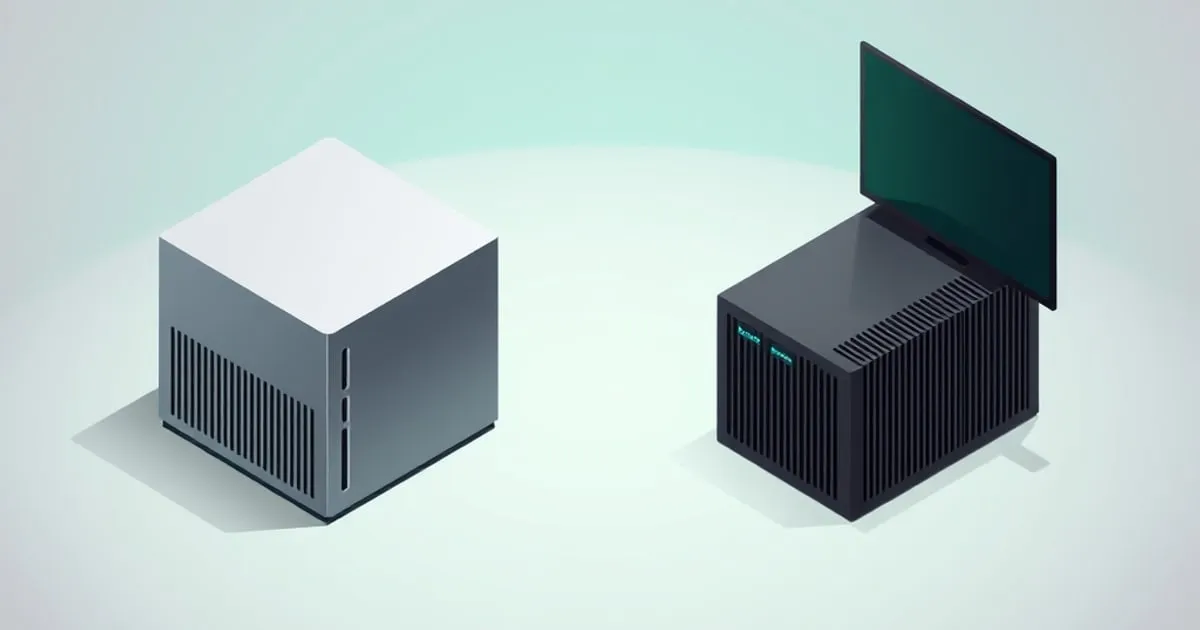
Lenovo ThinkCentre Tiny vs N100 Mini PC for a Homelab
Used Lenovo M720q/M920q/M75q Tiny vs new Intel N100 mini PCs for a 24/7 homelab — idle wattage, expandability, BIOS quality, and which is the better buy.
The N100 mini PC ended the Raspberry-Pi-as-server era for most homelabbers, but it didn’t end the conversation about what to actually buy. The other end of the cheap-x86 spectrum is a used Lenovo ThinkCentre Tiny — the M720q, M920q, and M75q Gen 2 in particular — pulled off the corporate refresh pile and pressed into 24/7 service. Both categories overlap on price, both run a Docker host or a small Proxmox node comfortably, and they make very different trade-offs.
I’ve run both for years. Here’s the head-to-head that matters: idle wattage, expandability, BIOS quality, and the one that’s actually the better buy in 2026 depending on what you’re building.
What you’re comparing
- Lenovo ThinkCentre Tiny (M720q, M920q, M75q Gen 2 are the homelab favorites): a 1L corporate desktop with desktop-class internals — socketed CPU on some, soldered on others, a real M.2 NVMe slot, a 2.5” SATA bay, and a riser card that exposes a half-height PCIe slot. Comes off three-year corporate leases by the pallet load. Bought used.
- Intel N100 mini PC (Beelink S12 Pro, GMKtec Nucbox G3, Trigkey N100, NiPoGi GK3): a purpose-built consumer mini PC with a soldered N100 SoC, one or two SODIMM slots, an M.2 NVMe slot, sometimes a 2.5” SATA bay, and dual 2.5GbE NICs. Bought new.
They overlap in the $130–$220 window. They don’t overlap on what they’re good at.
The headline comparison
| Lenovo M720q (i5-8500T) | Lenovo M920q (i5-9500T) | Lenovo M75q Gen 2 (Ryzen 5 PRO 4650GE) | N100 mini PC (e.g. Beelink S12 Pro) | |
|---|---|---|---|---|
| Typical used/new price | $90–$140 | $130–$180 | $160–$220 | $150–$200 new |
| CPU | 6c/6t, 2.1 GHz base | 6c/6t, 2.2 GHz base | 6c/12t, 3.3 GHz base | 4c/4t, up to 3.4 GHz |
| TDP | 35W | 35W | 35W | 6W |
| Idle wattage (measured at wall) | 9–13W | 9–13W | 11–15W | 5–8W |
| RAM | 2x SODIMM, up to 32GB DDR4 | 2x SODIMM, up to 32GB DDR4 | 2x SODIMM, up to 64GB DDR4 | 1–2x SODIMM, 16–32GB |
| Storage | M.2 NVMe + 2.5” SATA bay + optional M.2 2242 | Same | Same | M.2 NVMe + sometimes 2.5” SATA |
| Network | 1x 1GbE (Intel I219-LM) | 1x 1GbE (Intel I219-LM) | 1x 1GbE (Realtek) | 2x 2.5GbE |
| Expansion | PCIe x8 via riser (half-height) | PCIe x8 via riser (half-height) | PCIe x8 via riser (half-height) | None |
| BIOS quality | Excellent (Lenovo enterprise) | Excellent | Very good | Variable, vendor-dependent |
| Warranty / support | Used — none unless you buy refurb | Same | Same | 1 year vendor warranty |
The story the table tells: the Lenovos give you more CPU and a real PCIe slot at the cost of 4–7W of idle wattage and a worse default NIC. The N100 gives you lower idle wattage and dual 2.5GbE out of the box at the cost of expandability and raw multi-thread performance.
Idle wattage: the number that actually matters for 24/7
Idle wattage at the wall is the only spec that matters for cost-of-ownership on a 24/7 box. Everything else is throughput or convenience.
- N100 mini PC: 5–8W typical, single-digit watts in most configurations. A box drawing 6W average pulls about 53 kWh/year — under $7/year at $0.13/kWh.
- Lenovo M720q/M920q: 9–13W idle with one NVMe and a SODIMM populated. Closer to 100 kWh/year, or about $13/year at the same rate.
- Lenovo M75q Gen 2: 11–15W idle. The Ryzen APU runs warmer at idle than the Intel 8th/9th-gen T-series chips. About $17/year in electricity.
The difference between 6W and 12W idle is real but small in absolute terms. Over five years you’re looking at a $30–$50 electricity gap. That doesn’t decide the buying question on its own, but it does mean the “Lenovo is the cheap option” framing isn’t quite right once you account for power.
For the methodology behind these numbers, see measuring mini PC idle wattage — never trust a spec sheet, always put a Kill-A-Watt on the wall.
CPU performance: where the Lenovos pull ahead
This is where the buying decision actually splits. The N100 is a four E-core chip designed for low-power laptops and embedded use. The Lenovo i5-8500T, i5-9500T, and Ryzen 5 PRO 4650GE are full desktop CPUs with roughly twice the multi-thread headroom and better single-thread performance.
Rough relative performance vs N100 (multi-thread, real-world):
- i5-8500T: ~1.7x multi-thread, ~1.1x single-thread
- i5-9500T: ~1.8x multi-thread, ~1.15x single-thread
- Ryzen 5 PRO 4650GE: ~2.5x multi-thread (6c/12t), ~1.2x single-thread
What that means in practice:
- N100: Comfortable with 10–15 light Docker containers, Pi-hole, Home Assistant, Vaultwarden, a small Nextcloud, one Plex H.264 transcode.
- i5-8500T / 9500T: Comfortable with 25–40 containers, a 3–5 VM Proxmox setup, light Kubernetes, simultaneous HEVC transcodes.
- Ryzen 5 PRO 4650GE: Same workload class as the i5s with more headroom. Twelve threads is genuinely useful for compiles, AI inference at the edge, or a busy Nextcloud.
The crossover: if your stack fits on an N100, the Lenovos don’t buy you anything you’ll feel. Past ~6 simultaneously-busy threads, the Lenovos pull ahead noticeably.
Expandability: the PCIe slot changes the math
The single biggest hardware difference is the riser-card PCIe slot on the Tiny chassis. It’s a half-height x8 mechanical slot (electrically x4 or x8 depending on the model). What that actually unlocks:
- A real NIC. A used Intel I350-T2 dual-port gigabit or X520-DA2 SFP+ 10GbE card drops in for $30–$60. The N100 boxes can’t do this.
- An LSI HBA for a small ZFS pool fed from external SAS bays.
- A Coral TPU on M.2-to-PCIe adapter for Frigate NVR object detection.
If you’re planning to run pfSense or OPNsense ↗ as a router, a Lenovo Tiny with a $40 Intel dual-port NIC in the riser is one of the cheapest serious router platforms you can build. The N100 boxes ship with dual 2.5GbE already, which is fine for most home networks, but you can’t add anything else.
Network defaults: the N100 wins out of the box
The Lenovos ship with a single 1GbE port — Intel I219-LM on the M720q and M920q (excellent driver support), Realtek on the M75q (works fine, less loved). For a single-purpose Docker host on a 1Gbps network, one port is enough. For a router, you need to add a NIC via the riser.
The N100 boxes ship with dual 2.5GbE almost universally — usually Realtek RTL8125B, occasionally Intel I226-V. Both work on modern Linux kernels (5.15+) and current FreeBSD. The Realtek’s had occasional kernel regressions over the years but is stable on Debian 12, Ubuntu 24.04, and Proxmox VE 8. For a homelab pretending to be a router, the N100 is plug-and-play; the Lenovo needs a card.
BIOS and firmware: the Lenovo’s strongest argument
This is where used enterprise hardware quietly wins. The Lenovo Tiny BIOS is a corporate-grade firmware with:
- Proper Wake-on-LAN that actually works
- A reliable “Power On After AC Loss” setting that doesn’t reset between BIOS updates
- Intel AMT / vPro on the higher SKUs (out-of-band KVM if you have the licensing chops to set it up)
- TPM 2.0 standard
- Years of BIOS updates from Lenovo’s support site
The N100 boxes are a mixed bag. Beelink, Minisforum, and GMKtec generally ship decent firmware with regular updates. The no-name and second-tier brands ship whatever was on the assembly-line image. The 2024 AceMagic Bitdefender-flagged firmware incident is a good reminder that the supply chain for cheap consumer mini PCs isn’t always clean — that one’s resolved, but it happened. For the brand-by-brand BIOS quality breakdown, see the N100 mini PC buying guide.
The buying decision
A simple rule that gets most people to the right answer:
- Buy the N100 mini PC if you want low idle wattage, dual 2.5GbE out of the box, a new device with a warranty, and you don’t need PCIe expansion. This is the right pick for most first-time homelab buyers. Budget $150–$200, expect 6–8W idle, plan to use it for 3+ years.
- Buy a Lenovo M720q or M920q if you want more CPU headroom (10+ containers or a small Proxmox cluster), you’re comfortable with used hardware, and you might want PCIe expansion later. Budget $100–$160 used, expect 9–13W idle.
- Buy a Lenovo M75q Gen 2 if you specifically want 12-thread Ryzen performance — heavier Plex setups, compile workloads, more demanding self-hosted apps. Budget $160–$220 used, expect 11–15W idle.
- Avoid both if you actually need a NAS. A two-bay Synology or a TrueNAS build on real NAS hardware will outlast either of these for storage-first workloads — the storage-vs-compute trade-off is covered in mini PC vs NAS vs Raspberry Pi and the wider storage layout discussion in storage options for a mini PC homelab.
For sourcing a used Lenovo Tiny, the corporate-refurb market on eBay, ServerMonkey, and PCLiquidations is where these come from. Look for “Refurbished Grade A” with the original AC adapter included. Skip anything advertising “Windows 11 Pro” as the main feature — same flag as on consumer mini PCs.
What I run today
My always-on stack lives on a Beelink S12 Pro (N100, 32GB, 1TB NVMe) for the low-touch services — Pi-hole, Tailscale, Vaultwarden, Uptime Kuma — pulling about 7W average. The heavier workloads (Proxmox, Home Assistant OS, a small K3s cluster, Frigate with a Coral TPU) run on an M920q with 32GB and a Coral M.2 in the riser, pulling about 14W. Together they idle at roughly 21W — less than a single old desktop tower used to draw.
Both have their place. The N100 is the right starter; the Lenovo Tiny is the right upgrade when you outgrow it — or the right buy from day one if you already know your workload needs the headroom.
Sources
- Intel — N100 official specifications (cores, TDP, memory support): https://www.intel.com/content/www/us/en/products/sku/231803/intel-processor-n100-6m-cache-up-to-3-40-ghz/specifications.html ↗
- Lenovo PSREF — ThinkCentre M720q product reference (CPU options, RAM ceiling, riser slot): https://psref.lenovo.com/Product/ThinkCentre/ThinkCentre_M720q ↗
- Lenovo PSREF — ThinkCentre M920q product reference: https://psref.lenovo.com/Product/ThinkCentre/ThinkCentre_M920q ↗
- Lenovo PSREF — ThinkCentre M75q Gen 2 product reference (Ryzen PRO 4000-series options, 64GB ceiling): https://psref.lenovo.com/Product/ThinkCentre/ThinkCentre_M75q_Gen_2 ↗
Sources
Related

Mini PC vs NAS vs Raspberry Pi for a Homelab
Three ways to start a homelab, compared honestly: a mini PC, a prebuilt NAS, and a Raspberry Pi. Cost, power, what each is genuinely good at, and the trap

The Intel N100 Mini PC Buying Guide for Homelabs
What to look for when buying an Intel N100 mini PC for a 24/7 homelab — RAM, storage layout, NIC quality, BIOS quirks, and the brands worth (and not

N100 vs N305 vs N97: Which Low-Power Chip for Your Homelab?
Intel's Alder Lake-N family ate the low-power homelab market in 2024. Here's how the N100, N305, and N97 actually compare on cores, idle watts, dollars